PEOPLE · ROOMS · EQUIPMENT

Your calendar does not show every possibility.

A free calendar slot only works when the right people, rooms and equipment are available. If the preferred person is busy, another suitable combination may still work.

See how it works

Interactive explanation with example data. No account needed.

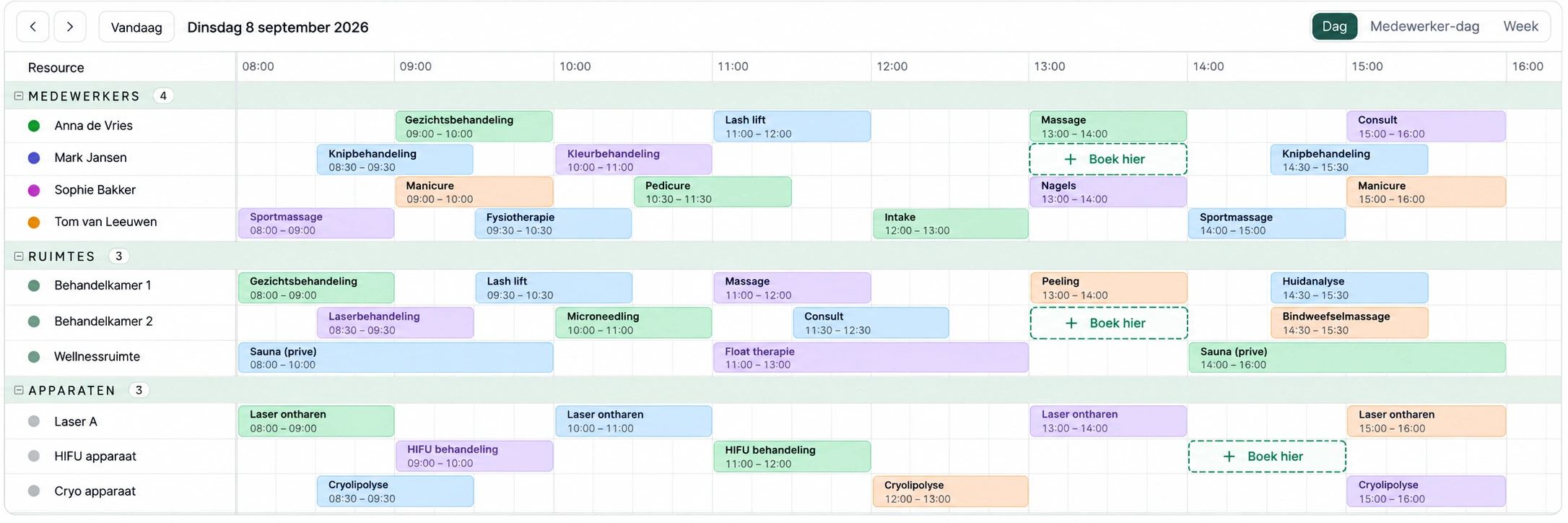
Front desk of a beauty salon with PlanLogic's capacity view on a tablet, a treatment bed and equipment in the background

Beauty, wellness & care

Specialist, chair and device have to align.

Mood images from four industries · not product screenshots

LOOK BEYOND ONE CALENDAR

Same time. Two appointments. A different allocation.

An appointment with no fixed staff choice may fit with another qualified colleague. This can make room for someone who does choose a specific person.

Illustration of the planning principle. Automatic reallocation during online booking is not yet available.

THE EXISTING APPOINTMENT

13:00 · no fixed staff choice

Assigned to Noor, but Sanne can carry it out too.

THE NEW REQUEST

13:00 · specifically with Noor

1 · The current allocation

13:00–14:00

Noor appears to be busy.

Noor
Existing appointmentNo fixed staff choice
Sanne
FreeAlso qualified for this appointment

Noor’s calendar is already filled at 13:00. But that appointment does not have to be carried out by Noor.

2 · An allocation that fits

13:00–14:00

Both appointments fit at 13:00.

Noor
New appointmentFixed choice: Noor
Sanne
Existing appointmentSame time, different staff member

Sanne carries out the existing appointment, freeing Noor for the new customer. The existing appointment stays at the same time.

The appointment without a fixed choice stays flexible. The fixed choice of Noor is respected.

In this example, both staff members are qualified and enough rooms and equipment are available for both appointments.

In the product

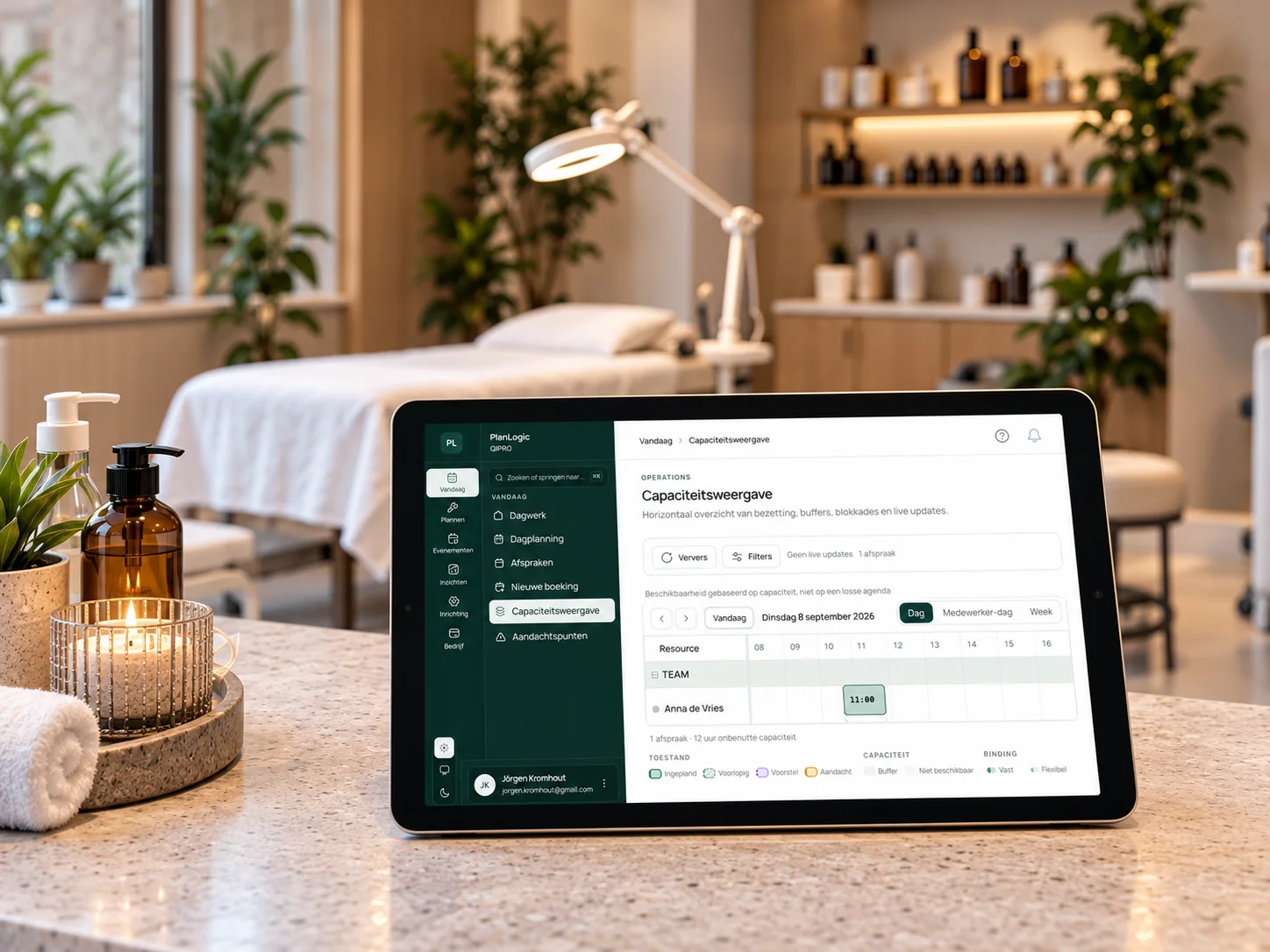
Staff, rooms and equipment in one daily overview.

Daily schedule with appointments for four staff members, three rooms and three devices, with highlighted free slots
An example daily schedule with staff, rooms and equipment. A free slot on one row is only usable when the other required resources are available too.Visualisation · example schedule
How it works

From request to confirmed appointment.

PlanLogic checks the combination. You set the requirements.

  1. The customer requests an activity and a preferred time.

  2. The activity defines the people, rooms and equipment required, including duration and buffers.

  3. PlanLogic calculates which combinations meet those requirements.

  4. On confirmation, PlanLogic checks availability again and records the appointment.

From availability to delivery and oversight.

Determine availability

Opening hours, qualifications, rooms, equipment and buffers define the requirements for an appointment.

Deliver appointments

Online booking, confirmations and customer self-service support delivery within the policies you set.

Stay in control

The planning board and reports show what is scheduled. Assisted optimisation makes suggestions; you decide.

Explore the features and their limits

See what makes a combination work.

Explore the interactive explanation without an account. Prefer to discuss your own situation? Book a capacity call.