
PRODUCT
One operational model.
PlanLogic doesn't just plan on time. It plans on the conditions under which a treatment is actually executable: staff member, treatment room and equipment at once.

Agenda-first versus resource-first.
An ordinary calendar has one question: is this staff member free? An operation has more. PlanLogic brings those questions together in one decision, and shows which answer follows from it.
Free in the requested staff member's calendar?
Everything outside that — room, device, buffer, exception — lives in notes and arrangements between people.
Does a valid combination exist that makes this actually executable?
Staff member, room, device, buffer and business rule are checked together, with the reason alongside.
Three conditions, one moment.
A laser treatment needs 45 minutes plus a 15-minute buffer. Suitability follows the qualifications you configure yourself; this is not an automatic certificate check.
VALID COMBINATION
14:30
Sanne · Room 2 · Laser A
45 min + 15 min buffer
Sanne, Room 2 and Laser A are available from 14:30 to 15:30 in this example. The customer must accept a different staff member.
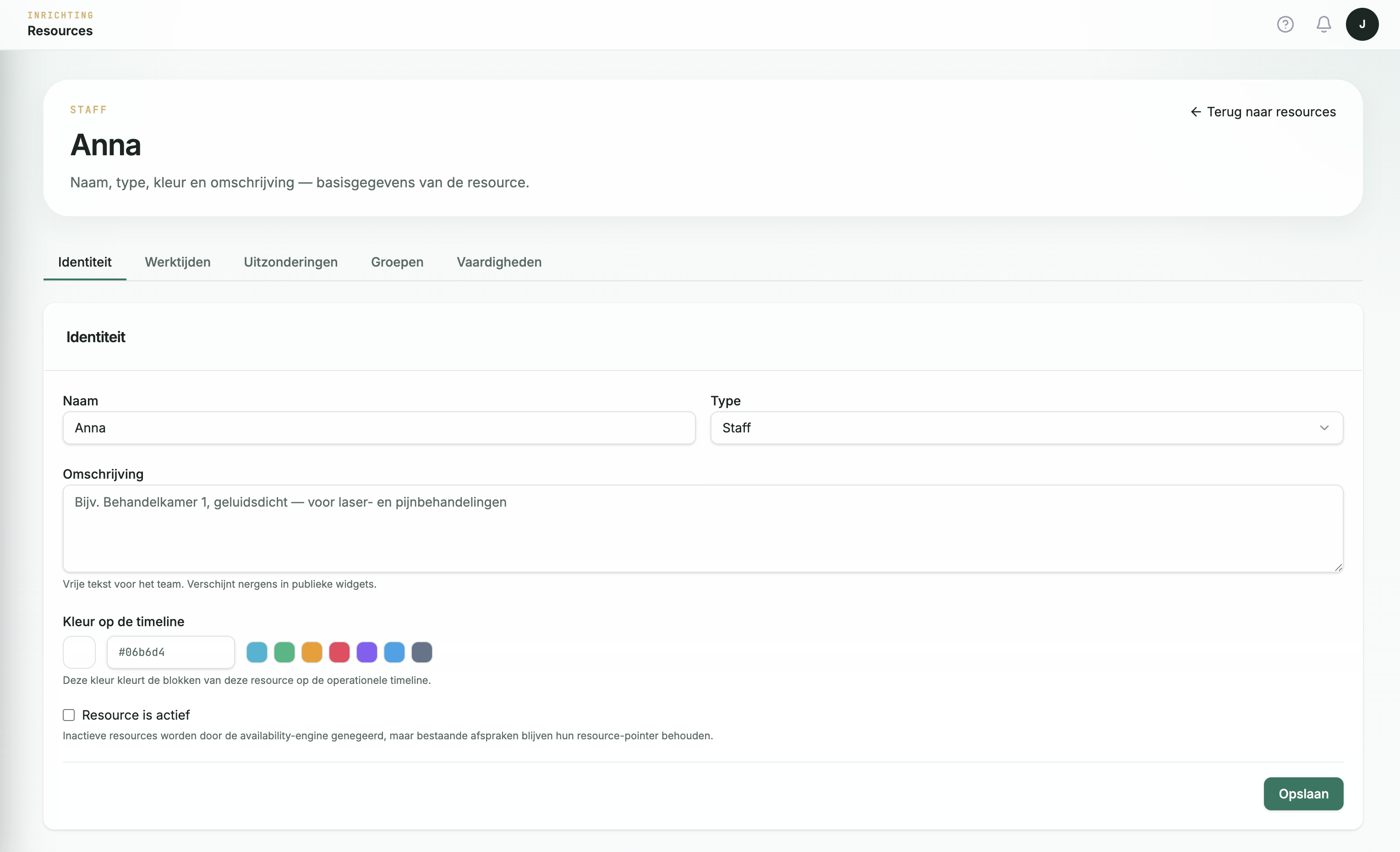
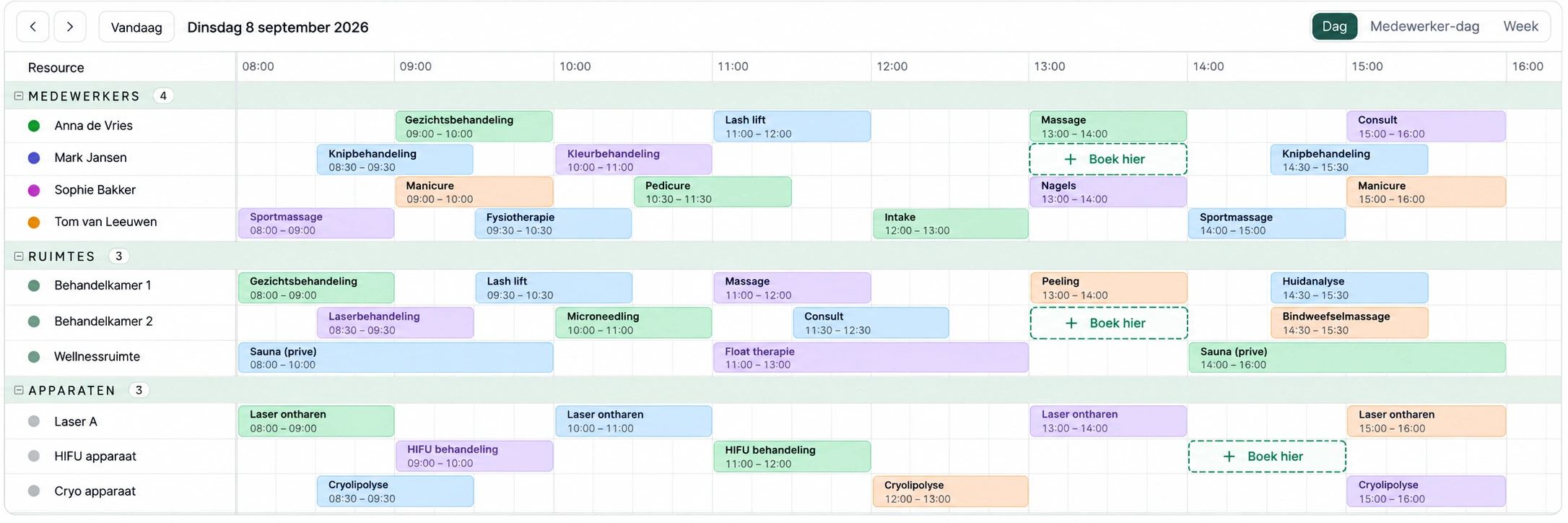
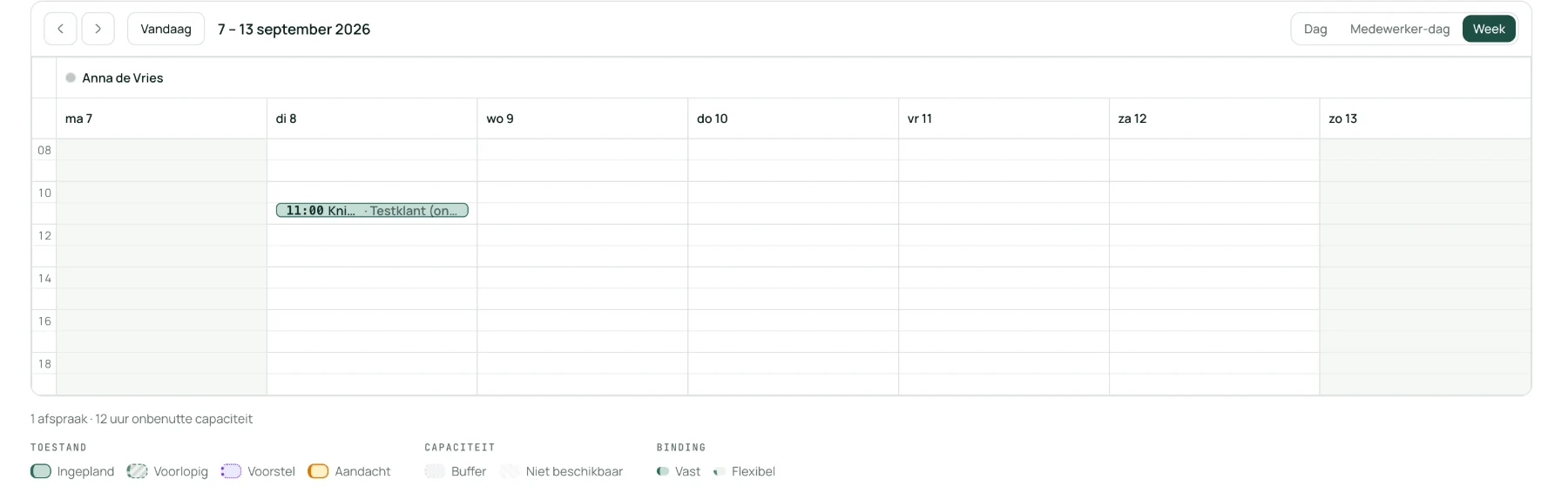
Set up resources and view the schedule.
The product captures show setup and the weekly schedule. The daily schedule is a visualisation with staff, rooms and equipment.
EXCEPTIONS AND WARNINGS
Make exceptions within your permissions and policy.
PlanLogic makes conflicts visible. Authorised planners can apply supported exceptions; essential requirements such as a suitable employee, room and device still apply.
WARNING
This time is outside the location’s opening hours. Check that the required employees, rooms and equipment are available.
Example: booking outside opening hours with the required permissions
Work schedules and access for your team.
These additions have been built. We are preparing their rollout; contact us to discuss when they will be available for your organisation.
Work schedules with a validity period
Give a work schedule a start and end date, for example for a temporary schedule. Exceptions remain separately configurable. After the end date, that work schedule expires; other applicable rules still apply.
Closure dates per location
Set a closure date for the whole location in its local time zone. A fixed date can repeat annually. Enter holidays whose dates change separately each year. Existing appointments are not automatically moved or cancelled.
View information or manage schedules
Viewers can read the calendar, appointment details, customer overview and schedules without making changes. Schedule managers manage work schedules, exceptions, closure dates and opening hours in a dedicated workspace, without access to the calendar, customers or other settings.
Requests arrive where your customer already is.
The booking widget uses the same availability checks as the planner. Calendar feeds and API access each serve a specific, defined purpose.
Booking widget
On your own site, showing only genuinely executable moments.
External calendars
Share appointments through an outgoing ICS feed. Personal appointments from Google or other calendars do not automatically block availability.
API
Access available API endpoints with scoped permissions. Discuss the operations your integration needs before connecting.
Payments and invoicing
Supporting the planning, not its core.
Customers manage their appointments within your rules.
Let customers cancel or reschedule within the time limits you enable. They can view their appointments in the customer portal. Each location schedules in its own time zone.